 Reviewed by HAWKGAMING Brand Team
 The HAWKGAMING App — Enjoy Smoother Mobile Play
Enjoy convenient HAWKGAMING mobile access through the verified Android APK entry. Philippine adults aged 21 and above can explore electronic casino games, selected games, sports betting and electronic bingo from a mobile device. Use PHP payments through GCash or Maya, review your account and KYC status in the security area, and contact support when you need assistance. Download only through a verified brand entry, keep your connection stable during installation, and take part responsibly within your personal budget and time limits.
App Features
HAWKGAMING App Access for Philippine Mobile Players
The HAWKGAMING app gives Philippine players a convenient mobile way to access selected platform services, games, account tools and support. Use your phone to manage your account, check available games, review transactions and handle PHP deposits or withdrawals through the supported account sections.
Built for Mobile Access
The Android app is designed for convenient use on mobile devices, while your experience may vary depending on your phone, signal and Wi-Fi or mobile data connection. For safer access, download the APK only through the verified HAWKGAMING entry and avoid changing networks while the file is downloading or installing.
Sports and Mobile Gaming
Access HAWKGAMING sports betting and gaming services from a compatible mobile device. You can use your account to explore available sports options, electronic casino games, feature games and electronic bingo, subject to the platform’s current availability and applicable terms.
GCash and Maya Payments
HAWKGAMING supports PHP deposits and withdrawals through GCash and Maya. From the mobile account area, open Deposit from HOME or Withdraw from ME, choose the amount shown on screen and confirm the request. Payment processing may be affected by account checks, partner maintenance or technical issues.
Account and Service Updates
Keep your mobile account information up to date and check the relevant account sections for transaction, payment and service details. If you need help with a deposit, withdrawal or login issue, contact the HAWKGAMING support team through the available support channels.
Casino, Feature and Bingo Games
Mobile users can access the HAWKGAMING selection of electronic casino games, feature games, sports betting and electronic bingo. Game availability may change, so review the current lobby and each game’s information before participating. All play is for adults aged 21 and over and should remain within a personal budget.
Account Security Options
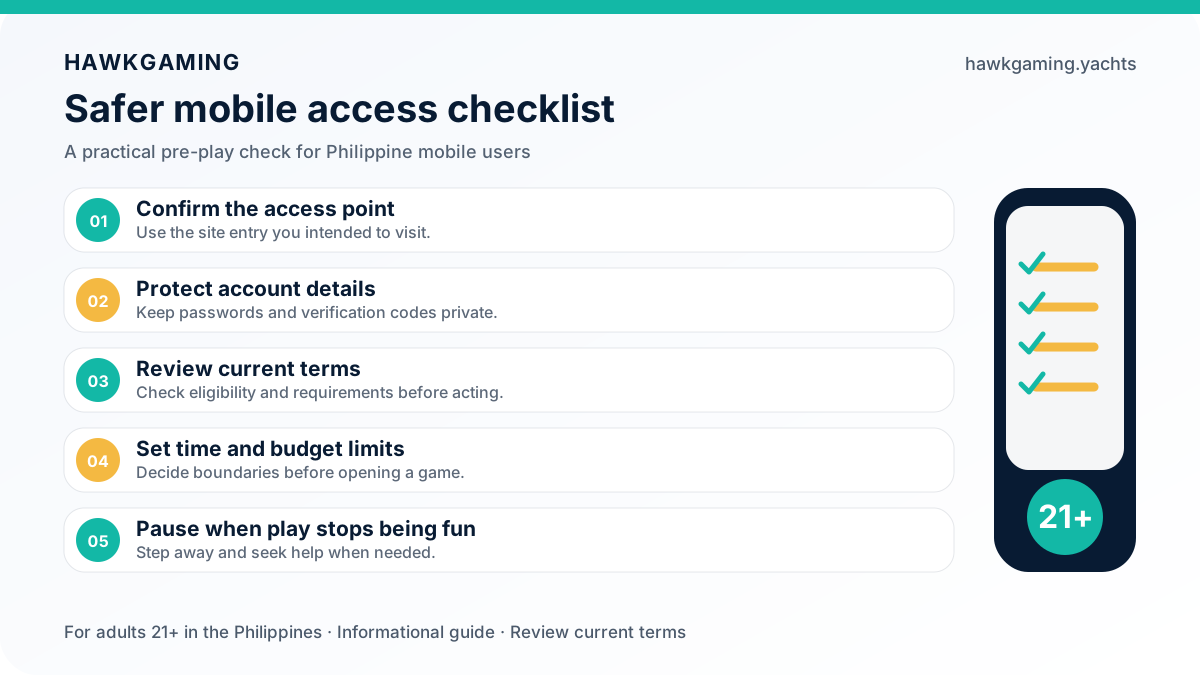
Protect your HAWKGAMING account with a strong password, a separate PIN where required and careful control of your verification codes. Review your Security Center, keep your KYC information accurate and never share your password, PIN or SMS code with another person.
Installation Guide
How to Download and Install the HAWKGAMING Android App
HAWKGAMING provides an Android APK for mobile access. Before installing, use a stable connection, follow the instructions shown on the verified download page and keep your account details private throughout the process.
Review Android Installation Permissions
Open your Android settings only when your device asks for permission to install an APK from a source outside its usual app marketplace. Allow the required installation permission if you trust the verified HAWKGAMING download entry, then disable any temporary permission after installation where your device allows it.
Download the Android APK
Use the verified HAWKGAMING download page to obtain the Android APK. Do not rely on unfamiliar download links or third-party copies. If the download does not complete, reopen the page in your mobile browser and try again without switching networks during the download.
Open and Install the APK
When the download is complete, open the file from your mobile browser or Downloads folder and follow the Android installation prompts. Check that the file came from the verified HAWKGAMING entry before proceeding, and do not enter your password or SMS verification code into an untrusted page.
Log In or Register
Open the installed HAWKGAMING app and use your registered mobile number with either a verification code or your password. New users can register if they meet the platform’s eligibility requirements. You must be 21 or older, not listed in the PAGCOR NDRP, not a GEL license holder and not a government employee. After signing in, review your balance, transaction records, KYC status and security settings before using the platform.
The HAWKGAMING mobile app is offered as an Android APK through the verified brand entry. Download it only from the recognised HAWKGAMING access page, and avoid APK files shared through unknown websites, messages or third parties. The iOS app is still being prepared, so iPhone users should use the available mobile web access instead.
App Access Details
HAWKGAMING Mobile App Access
The HAWKGAMING Android experience is built for convenient mobile access in the Philippines. Use the verified APK entry to download the Android package, then follow your device instructions to install it. Keep your phone connected to a stable network during the download and installation process.
Important to know The official information does not specify a fixed APK file size, minimum RAM requirement or mobile-data allowance. Before installing, check your Android device storage and use a reliable connection. Data charges may apply according to your mobile provider’s plan.
For the latest access information, return to the verified HAWKGAMING entry rather than relying on APK files from unofficial sources. If an installation issue occurs, open the download page again in your mobile browser and keep your network connection steady.
App or Browser
Choosing the Right Mobile Access
| Feature | HAWKGAMING App | Mobile browser |
|---|---|---|
| Access experience | Open the verified mobile web page | Use your browser to visit hawkgaming.yachts |
| Mobile Updates | Deposit Balance Update | Android APK access |
| Secure sign-in | Fingerprint or face login | Availability depends on your device and the sign-in options shown |
| Keeping your session active | Deposit Balance Update | Your browser or device settings may end a session, so sign in again when required. |
| Mobile Sports and Game Access | Check the current page | Status may vary |
| GCash / Maya Payments | Available through the platform | Use the supported payment flow |
| Mobile Data Use | Designed for mobile access | Depends on your connection |
| Home Screen Access | Deposit Balance Update | Add a shortcut manually |
Complete Guide
HAWKGAMING App Access for Android Players
The HAWKGAMING app gives Philippine adults aged 21 and above a convenient way to access the platform from an Android phone. You can use the mobile experience for electronic casino games, featured games, sports betting and electronic bingo, while also managing key account services such as deposits, withdrawals, transaction records and security settings. GCash and Maya are supported for payment activity, with all amounts handled in PHP. For account protection, use the verified brand entry when downloading the Android APK, keep your login details private and follow the KYC instructions shown in the Security Center.
How can I download the HAWKGAMING Android app?
The Android version is provided as an APK through the verified HAWKGAMING download entry. Open this page on your Android phone, follow the download instructions and keep the network connection unchanged while the file is downloading and installing. You can sign in with your mobile number and verification code or use Password Login. Before using account, payment or withdrawal features, check whether your KYC review has been completed, as some services may remain restricted until verification is finished.
Why is the Android version provided as an APK?
The available Android download is supplied as an APK rather than a confirmed Play Store installation. Downloading an APK requires extra care: use only the verified HAWKGAMING entry, review your phone's security prompts and avoid files from unknown sources. The supplied platform information confirms an Android APK download, but does not support claims about third-party store policies, malware status or user numbers. Always check the source before installing and do not share your password, PIN or SMS verification code.
Security reminder: For your protection, download the Android APK only through the verified HAWKGAMING entry at hawkgaming.yachts. Avoid third-party websites, messaging groups and unverified social media links. If a file or page looks suspicious, do not install it and contact support through the available help channels instead.
Can I use HAWKGAMING on an iPhone?
The Android APK is currently available, while the iOS app page indicates that the application is still being prepared. Do not treat the iOS version as ready for installation. For any account or service access, follow the current options shown through the verified HAWKGAMING platform and check the latest availability before proceeding. Users must be at least 21 years old and should complete any required KYC review for restricted services.
Which games and services are available through the HAWKGAMING app?
The HAWKGAMING app makes mobile access simple for Philippine players aged 21 and above. Use the Android APK入口 to access the platform from your phone, explore electronic casino games, featured games, sports betting and electronic bingo, and manage your account while on the go. Deposits and withdrawals are available in PHP through supported local payment channels, with account security, KYC checks and responsible participation kept at the centre of the experience. The iOS version is still being prepared, so download the Android APK only through a verified HAWKGAMING入口 and keep your connection stable during installation.
How do deposits and withdrawals work on the HAWKGAMING app?
To deposit through the HAWKGAMING app, open HOME, select Deposit, choose the amount shown on screen and confirm the payment through GCash or Maya. After a successful payment, the funds are normally added to your wallet automatically. If your balance has not updated after around five minutes, refresh your account first. If the issue continues, contact support with your registered phone number, a screenshot of the successful payment and the payment order number. Never share your password or SMS verification code. For withdrawals, open ME, select Withdraw, choose the amount and confirm the request. Your balance must meet the minimum cash-out threshold displayed on the page. GCash or Maya normally handles the final processing, but technical issues, maintenance or a risk-control review may extend the waiting time.
How do I update or reinstall the HAWKGAMING app?
HAWKGAMING provides an Android APK download入口 for mobile access. Download and install the file only from a verified HAWKGAMING入口, and avoid switching networks while the download or installation is in progress. If the download does not complete, reopen the download page in your mobile browser and try again. The iOS app is still being prepared and should not be presented as currently available. Use SMS verification or password login as appropriate, and follow the Security Center instructions whenever KYC or account funding is involved.
Need help with the HAWKGAMING app, account access, deposits or withdrawals? You can contact the support team through real-time chat or email support. When reporting a payment issue, include the details requested by support, but do not disclose your password or SMS verification code. If you have not registered yet, use the Register Register page to create your HAWKGAMING account. Registration and login are limited to users aged 21 and above who meet the platform's stated eligibility requirements.
Ready to access HAWKGAMING on mobile? Open the verified download page, select the Android APK option and follow the installation steps without changing networks during the download. Log in with your phone number and verification method, then use the platform's account, payment and support tools from your device.
Create Your Account Before Installing the App
Set up your HAWKGAMING account first, then download the Android APK from a verified brand入口. Once installed, log in with your registered phone number and use HOME for Deposit or ME for Withdraw, Transactions and Security Center options. Keep your account details private, complete any required KYC review and take part responsibly as a player aged 21 or above.