
HAWKGAMING Brand TeamReviewed by HAWKGAMING Brand Team
Philippine Player Help Centre

HAWKGAMING FAQ Your QuestionsClear Answers

Find practical answers about using HAWKGAMING in the Philippines, including account access, PHP deposits, withdrawals, Android access, transaction records, security checks and responsible participation. If you need further assistance, you can contact the available support channels with the details of your concern.

50+
Helpful Answers
24/7
Live Support
Support Available
Response Support
6
FAQ Categories
Account Security
PHP Deposits
GCash and Maya
Support Channels

Popular Help Topics

Registration and Account Access

Learn how to register, use verification codes, reset your password, update account information and check your KYC status on HAWKGAMING. Keep your registered mobile number accessible and never share your password or SMS verification code.

Deposits and Withdrawals

Get clear guidance on adding PHP funds through GCash or Maya, checking your balance, submitting a withdrawal request and reviewing transaction records. Processing times can vary when payment channels require maintenance or an account needs a risk control review.

Games and Sports

Explore guidance for HAWKGAMING electronic casino games, feature games, sports betting and electronic bingo. Game results are not guaranteed, so take part only as paid entertainment and use a budget you can afford.

Account and Payment Tools

Check the relevant HAWKGAMING page and current activity terms for any available account offers or participation conditions. Requirements, eligibility and availability may change, so review the displayed information before taking part.

HAWKGAMING Android Access

Find the steps for accessing the HAWKGAMING Android APK through a verified brand entry. Keep your network connection stable during download and installation. If the download does not complete, reopen the download page in your mobile browser. The iOS version is still being prepared.

Responsible Gaming

Use a personal budget and time limit, take a break when needed and avoid chasing losses. HAWKGAMING supports safer participation for adults aged 21 and above. Review your account and security options, and contact support if you need help.
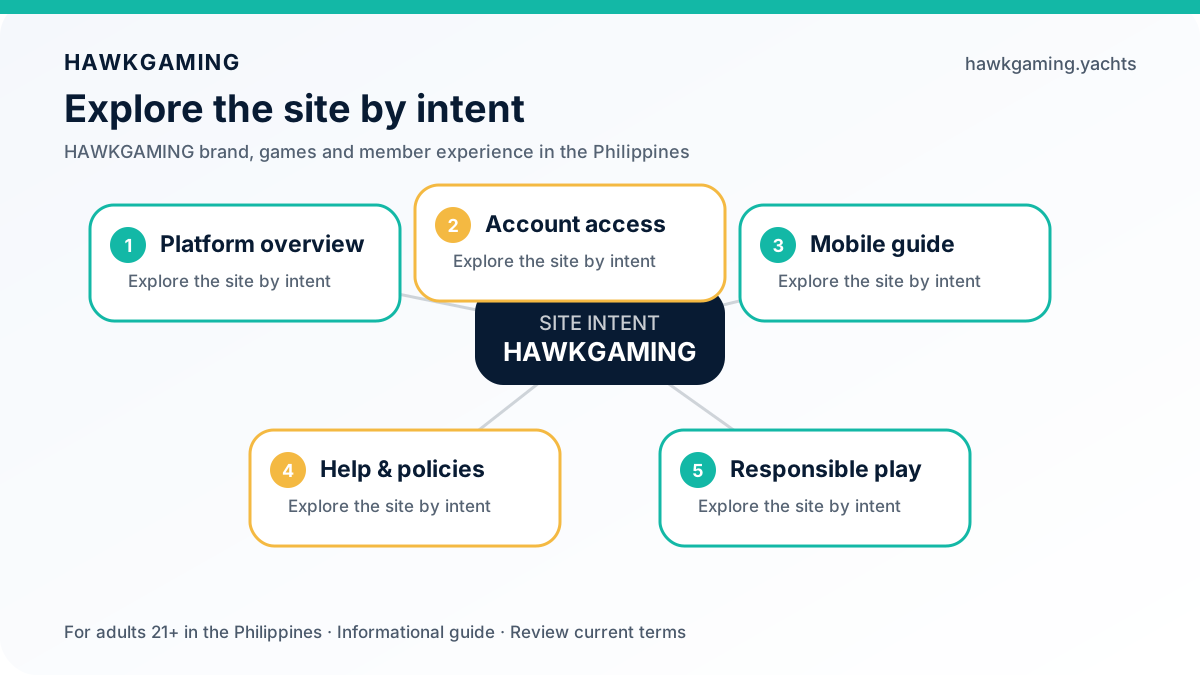
HAWKGAMING website topics and support guide for adults in the Philippines
HAWKGAMING visual guide for Philippine adults: review current information and use verified access points.

All Questions and Answers

All Games Account Payment options Games Activities App Responsible Gaming
Account and Registration

Visit hawkgaming.yachts and select Register. Enter your registered mobile number, request a verification code, complete the CAPTCHA and submit the SMS code to finish. You must meet the platform eligibility requirements, agree to the Terms of use and Privacy Policy, and protect your login details. After registration, use the available account options to complete any required verification before making deposits or using platform services.

You must be at least 21 years old to register or log in. You must also not be listed in the PAGCOR NDRP, must not be a GEL license holder and must not be a government employee. These requirements apply when you create or access an account, and you must accept the current Terms of use and Privacy Policy.

On the login page, select “Forgot Password?” and enter the phone number linked to your HAWKGAMING account. An SMS verification code will be sent to you. Enter the code, create a new password, and log in again. If the message does not arrive, wait briefly and try requesting another code. You may also contact support through live chat.

Please use your existing HAWKGAMING account rather than opening another account when you have access problems. If you cannot log in or need help with your account, contact the support team through the available support channels. Account access remains subject to the current Terms of use, eligibility requirements, and security checks.

For account or personal-information changes, contact the HAWKGAMING support team through live chat so your request can be reviewed securely. Identity checks may be required, especially when the request affects your registered phone number, KYC details, or account security. Make sure the information you provide remains accurate and consistent with your verification records.
Deposits and Withdrawals

From the HOME page, tap “Deposit” and choose the amount shown on the deposit screen. Confirm the request, then complete payment through GCash or Maya. Once the payment is successfully processed, the amount is normally credited to your HAWKGAMING wallet. If your balance has not updated after around five minutes, refresh your account and contact support if the issue continues.

The applicable deposit amount is displayed on the HAWKGAMING deposit page when you start a transaction. As deposit limits may depend on the available payment option and current platform settings, please check the amount shown on screen before confirming payment. For clarification, contact support through the available channels.

Open “ME” at the bottom right of the page, then select “Withdraw”. Before submitting, ensure your balance meets the minimum cash-out threshold shown on the page. Choose the amount, review the details, and tap “Confirm”. GCash or Maya generally handles the final payment processing. Requests may be completed within about 10 minutes, although risk review or payment-partner maintenance can extend the waiting time.

Withdrawal requests are commonly completed within about 10 minutes, but this is not an unconditional guarantee. A request may take longer if it enters a risk-control review, which can take around 30 minutes, or if GCash or Maya is undergoing maintenance or experiencing a technical issue. If the amount remains missing beyond the time shown in the relevant HAWKGAMING guidance, contact support and provide your registered phone number and payment order number.

Deposit and withdrawal amounts are handled in PHP (₱) through GCash or Maya. Before confirming a transaction, review the amount and any information displayed by your payment provider. If a successful deposit is not reflected after about five minutes, refresh your balance and contact support with your registered mobile number, payment order number, and receipt screenshot. Never share your password or SMS verification code.
Games and Sports

HAWKGAMING features electronic casino games, selected featured titles, sports markets, and electronic bingo for eligible Philippine players aged 21 and above. Teen Patti, Mines Gold, The Great IcescapeYou can also explore a dedicated Sports Betting game section through the web platform or the Android app. The iOS app is still being prepared and is not currently available for installation.

If a football match is available for live play, open its event page to review the active markets, displayed odds, and applicable rules before placing a stake. Live availability may change as the match progresses, so check every selection carefully and play only within your set budget. Football Visit Sports Betting and check the events currently marked as live.

Open the game, select the gear icon, and tap the exclamation mark to read its rules. Use the book icon to review detailed game records. Game outcomes should never be treated as guaranteed income, and players should set firm spending and time limits before participating.

Minimum stakes depend on the selected game or sports market and are shown in PHP (₱) before confirmation. Always check the amount displayed on the game screen, choose a stake that fits your entertainment budget, and never chase losses. Participation is strictly for eligible adults aged 21 and above.

When this title appears in the current game library, Mines Goldopen it and use the gear icon to access the help menu. Select the exclamation mark for the complete rules and the book icon for your game records. Review the stake, controls, and outcome conditions before playing, and remember that no result or return is guaranteed.

The Great Icescape If this title is available in the game library, open its help section from the gear icon and read the complete round rules before placing a stake. You can also select the book icon to check your game history. Treat every round as paid entertainment, set a limit, and avoid chasing losses.
Account and Payment Tools

Promotional availability, eligibility, and bonus conditions must be checked on the current promotion page before making a deposit. Do not assume that a bonus is automatic or that a promo code is unnecessary unless the live terms clearly say so. Deposits can be completed in PHP (₱) through GCash or Maya. Create Account, choose GCash or Maya for your first eligible deposit, confirm the PHP (₱) amount, and check your wallet after the payment is successfully processed. Review the Promotions for the latest offer details, eligibility rules, and applicable terms before participating.

A wagering requirement is the total amount you must play through before eligible bonus funds can become available for withdrawal. The required multiplier, qualifying games, expiry period, and other conditions may vary by offer, so always review the details shown on the Promotions. Only eligible bets count, and exclusions may apply under the current promotion terms.

Available offers for existing players may change over time. Sign in to HAWKGAMING and check the promotions section for any current rewards, eligible games, participation periods, and other conditions. Visit the Promotions regularly to view active offers and read the complete terms before joining.

Bonus funds may be removed when an offer expires or its eligibility and participation conditions are not satisfied. Check the applicable promotion terms and your transaction records first. If you believe the adjustment was incorrect, contact our support team through live chat or email and provide the relevant account and transaction details. Never share your password, PIN, or SMS verification code.
HAWKGAMING Android Access

Open the verified Android App Download on hawkgaming.yachts using your Android phone, then tap the download button to get the APK. Keep the same network connection active while downloading and installing. If the download stops, reopen the page in your mobile browser and try again. Only obtain the installation file from a verified brand entry point.

First, confirm that the APK came from the verified download page and keep your internet connection stable throughout the download and installation. If the file is incomplete or the process stops, reopen the official Android App Downloadin your mobile browser and download the APK again. You may also restart your device before retrying. Contact support if the issue continues.

The iOS app is still being prepared and is not currently available for installation. iPhone users may open hawkgaming.yachts through a mobile browser to access the web platform. Use only the verified website and never install files promoted through unverified links.

When a new HAWKGAMING app version is released, an update notice may appear when you open the app. Select the update option to download and install the latest APK. You can also open the verified Android App Download HAWKGAMING download page on hawkgaming.yachts through your mobile browser and get the current APK manually. Keep your connection stable during the download and installation, and use an official HAWKGAMING source for safer access to account features.
Responsible Gaming

Yes. Setting a personal spending budget can support more controlled play. If deposit-limit options are available in your account settings, review the displayed conditions carefully before confirming a daily, weekly, or monthly limit. For complete guidance, open the Responsible Gaming page Responsible Gaming page for the latest details on available controls and participation safeguards.

If you feel that you need time away from gaming, pause your activity and contact the HAWKGAMING support team for guidance on available account restrictions. You can also review the responsible gaming options shown in your account settings. A longer break should be treated seriously, especially if gaming is affecting your budget, routines, or wellbeing. HAWKGAMING does not encourage chasing losses, and all play is intended for adults aged 21 and above.

If gaming is affecting your finances, relationships, daily responsibilities, or mental wellbeing, stop playing and seek support. Review the responsible gaming information in your account settings, set a clear budget and time limit, and avoid trying to recover losses through further play. Please visit our Responsible Gaming page Responsible Gaming page for practical guidance, or contact HAWKGAMING support for help with account access and available safety options. HAWKGAMING is here to support safer participation, not to promise winnings or guaranteed returns.

No results matched your search. Try another keyword or browse the categories above for the information you need.

HAWKGAMING FAQ for Philippine Players

This HAWKGAMING FAQ brings together practical information for Philippine players, from account access and verification to PHP payments, mobile use, transaction records, and support. HAWKGAMING provides access to electronic casino games, featured games, sports betting, and electronic bingo through a mobile-friendly experience. The guide is designed for adults aged 21 and above. Please review the current account requirements, payment instructions, and responsible gaming guidance before you begin.

Getting Started with HAWKGAMING

To start using HAWKGAMING, register or log in with your mobile number and choose either verification-code access or password login. Follow the CAPTCHA and SMS instructions shown on screen, and keep your verification details private. KYC review may be required, and some services can remain restricted until the review is complete. When your account is ready, open HOME to make a PHP deposit through GCash or Maya, or use ME to review withdrawals, transaction records, and security settings. HAWKGAMING supports mobile access through the web and provides an Android APK download入口 from a verified official source; the iOS application is still being prepared.

New to HAWKGAMING? Before creating an account, review the eligibility and account requirements. Registration and access are limited to adults aged 21 and above who are not listed in the PAGCOR NDRP, do not hold a GEL licence, and are not government employees. Promotions Visit the HAWKGAMING Help Center for the latest guidance on registration, account access, payments, security checks and responsible participation before you get started.

Deposits and Withdrawals Made Clear

Payment questions are common among new HAWKGAMING players. Deposits and withdrawals are available through GCash and Maya, with transactions handled in Philippine pesos (PHP or ₱). To deposit, open HOME, select Deposit, choose the amount shown on screen and confirm the payment through GCash or Maya. Once the payment is successfully processed, the balance will usually be added to your wallet automatically. If the balance does not appear, refresh your account and allow around five minutes before contacting support. For withdrawals, open ME, choose Withdraw, select an amount that meets the minimum cash-out threshold displayed on the page, then review and confirm the request. Payment-partner processing is commonly completed within about 10 minutes, although risk checks or service maintenance may extend the waiting time.

A delayed withdrawal may be linked to the minimum cash-out requirement, a risk-control review, payment-partner maintenance, wallet limits or other processing issues. Keep your GCash or Maya account logged in after submitting a request and until the funds are received, where applicable. If the stated processing period has passed, contact HAWKGAMING support with your registered phone number and payment order number. Never share your password or SMS verification code.

Understanding HAWKGAMING Account and Safety Guidance

The HAWKGAMING FAQ also covers the account checks and security steps that help protect your access. Use your registered phone number for verification, keep your account password and PIN private, and make sure your KYC information is accurate and consistent. The Security Center may show whether KYC is incomplete, under review, approved or declined. Some platform services may remain restricted until the review is completed. PromotionsYou can use the account tools to reset a forgotten password or PIN, review transaction records and check the status of deposits, withdrawals, games and awards. For verification-code access, enter your phone number, complete the CAPTCHA, request the SMS code and submit it when received. If the message does not arrive, wait briefly before requesting another code. Always check your account activity and contact support if a transaction or game record does not match your experience.

Tip: Check the HAWKGAMING Help Center regularly for updated instructions on account access, KYC, payments, withdrawals, transaction records and account security. Promotions Support is available through real-time chat, email assistance and feedback channels. When reporting a payment or game issue, provide only the details needed to investigate, such as your registered phone number, payment order number, game ID, transaction time and amount. Do not send your password, PIN or SMS verification code. HAWKGAMING guidance and processing information may change when payment partners are carrying out maintenance or technical work.

The HAWKGAMING Game Library

HAWKGAMING brings together electronic casino games, featured games, sports betting and electronic bingo for Philippine adults aged 21 and above. Mobile users can access the platform through a supported browser, while the official Android APK is available through the verified HAWKGAMING download entrance. The iOS application is still being prepared, so it should not be treated as currently available for installation. Game outcomes are not guaranteed, and participation should remain within a personal budget and time limit. Play for entertainment, avoid chasing losses, and stop if gaming no longer feels enjoyable or controlled.

HAWKGAMING Android App

Download the HAWKGAMING Android APK through the verified website entry. Android App Download The Android APK provides a convenient way to access HAWKGAMING from a mobile device. Download it only through a verified HAWKGAMING website entry, and avoid switching networks while the file is downloading or installing. If the download does not complete, reopen the download page in your mobile browser and try again. Android users may sign in with a phone number and verification code or with their account password. Keep your login details private, and follow the Security Center instructions for KYC and account protection before using payment or other restricted services.

Responsible Gaming with HAWKGAMING

HAWKGAMING promotes safer participation for Philippine adults aged 21 and above. Treat gaming as paid entertainment, decide on a spending budget and time limit before you begin, and never chase losses. If gaming stops feeling enjoyable or begins affecting your daily life, take a break and contact the HAWKGAMING support team for assistance. Responsible Gaming page The HAWKGAMING help and safety guidance explains account protection, KYC requirements, payment precautions and responsible participation. Access to selected platform services may remain restricted while KYC review is incomplete. Users must also meet the stated eligibility requirements, including being at least 21 years old and not being listed in the PAGCOR NDRP, a GEL license holder or a government employee.

Have a question that is not answered here? You can contact the HAWKGAMING support team through real-time chat or email. For payment concerns, include the relevant details requested by support and never share your password or SMS verification code. Help Center You can also browse the HAWKGAMING Help Center HAWKGAMING for account access, payments, withdrawals, transactions, security and safer participation guidance.

Contact HAWKGAMING Support

If you cannot find the information you need, reach out to HAWKGAMING support. Real-time chat is available for direct assistance, while email is suitable for detailed questions and account-related concerns.

Live Chat

Use real-time chat to discuss account access, deposits, withdrawals, transactions or other platform questions with the HAWKGAMING support team.

Real-Time Support

Email Support

For non-urgent questions, payment checks or detailed account concerns, send the HAWKGAMING support team an email. Include your registered phone number and relevant transaction details when requested, but do not disclose your password or verification code.

[email protected]
More Help Pages

Visit the HAWKGAMING Help Center for practical guidance on registration, verification codes, password recovery, deposits, withdrawals, transaction records, account security and responsible participation.

Ready to Explore?

Create Your HAWKGAMING Account

Eligible Philippine adults aged 21 and above can register for a HAWKGAMING account and explore electronic casino games, featured games, sports betting and electronic bingo. Deposit through GCash or Maya, review the applicable terms, and play within a budget you can afford. Outcomes are not guaranteed, so participate responsibly and avoid chasing losses.

HAWKGAMING Brand Team
Editorial Review

HAWKGAMING Brand Team

Editorial Team Philippine Player Experience Team covering HAWKGAMING games, account access, payments, support, safety and responsible participation for Philippine adults aged 21 and above.

RegisterLog In